

Finding the right online course platform can make or break your learning journey. With hundreds of options flooding the market, choosing the right Online Course Platform in 2026, budget-friendly starters and premium powerhouses, feels overwhelming.
In today’s world, technology and software shape the way we live, With so many tools promising excellent solutions which is had to choose which is actually fit for your needs. There is some affordable option available which proving free trial and budget friendly all in one solution to create and sell online.
This guide breaks down the best online course platforms 2026, Which offers an all-in-one business suite, Better Value, for course creators, Teachers coders & Creatives , Corporate Training Programs, Best for Fitness Trainers, Sell Mini-Courses and No-Code Platforms to Launch Courses.
How to Choose the Best Online Course Platform in 2026
How to Choose the Best Online Course Platform in 2026. An online course platform allows educators, creators, coaches, and businesses to create, host, market, and sell online courses for beginners and Businesses.
These course platform gives you an all-in-one solutions provides everything from video hosting and course design tools to payment gateways, Integrations, Customer support, student management, and marketing automation to build your digital education business.
Quick Comparison Table: Best Online Course Platforms (2026)
Quick Guide: Top Best Online Course Platforms
Best All-in-One Platforms – Kajabi, Kartra, Systeme.io, Podia
Best Overall Online Course Platform – Kajabi
Best Value Online Course Platform – System.io
Best Platforms for Course Creators – Teachable, Thinkfic, Podia
Best Platforms for Web Developers & Coders – Udamy, Cousera
Best Platforms for Fitness Trainers – Kajabi, Thinkfic
Quick Comparison Table: Best Online Course Platforms (2026)
|
Platform |
Starting Price |
Best For |
Key Feature |
Try Now |
|
Free, $27/month |
Beginners, and budget-friendly for creators |
All-in-one tool with courses, funnels, email marketing & affiliate program | ||
|
Podia |
Free / $39+ |
Creators selling downloads/webinars |
All-in-one storefront & email tools |
Try Podia |
|
Kajabi |
$149/month |
All-in-one Creators |
Funnels + email |
Try Kajabi |
|
Teachable |
Free / $59/mo |
Solo Creators & Schools |
Tax handling & upsells |
Try Teachable |
|
Thinkific |
Free / $49+ |
Professional educators |
no transaction fees |
Try Thinkific |
|
Coursera |
Contact for pricing |
Universities & enterprises |
Accredited, university-level content |
Try Coursera |
|
LearnWorlds |
$29/month |
New course creators, small businesses |
Custom domain, Built-in video player, Basic integrations |
Try LearnWorlds |
|
Tutor LMS |
Free / $199+ |
Individual instructors, bloggers |
Unlimited courses,WooCommerce, Emails |
Try Tutor LMS |
|
Udemy |
Free / Paid |
Beginners launching courses |
Huge marketplace/ built-in audience |
Try Udemy |
|
$99+/mo |
Digital marketers & funnel |
CRM, funnels, memberships in one tool |
1. Systeme.io – Best Value for Beginners
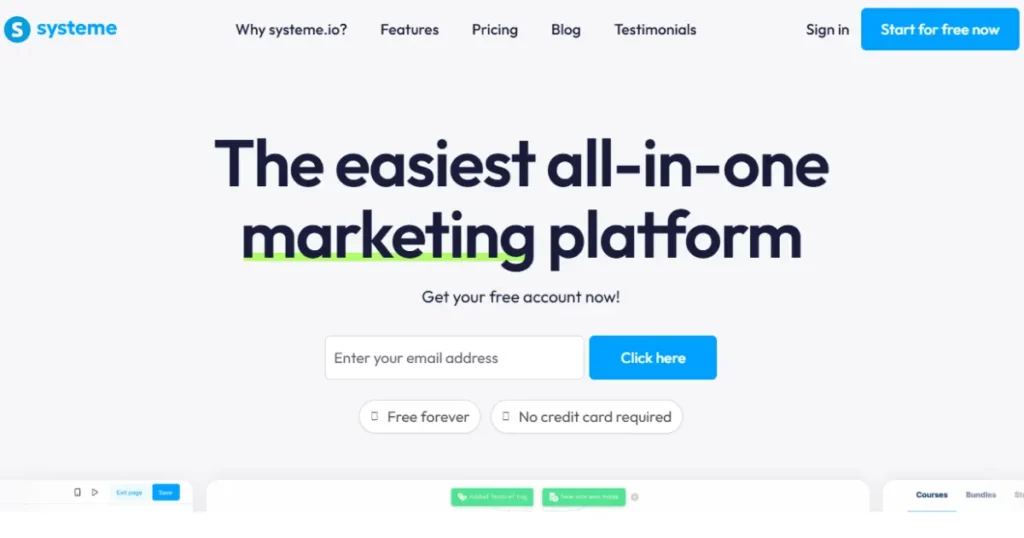
Best All in one platform, easy to use, and affordable for Beginners & Solo Creators
Systeme.io is an all-in-one online business platform started with a free plan to help solo entrepreneurs, creators, and small businesses, whether you’re a beginner trying to launch your first online course or a small business owner looking to save money without multiple expensive tools.
Systeme.io so is the best choice for your business to start it is easy-to-use dashboard for email marketing, sales funnels, landing page builders, membership sites, and automation software.
This really affordable compete with big names like ClickFunnels or Kartra? I use for my own funnels, email campaigns, and even a small membership site, and It actually worked. And you don’t need to pay separately email software like Mailchimp, ActiveCampaign, or ConvertKit.
Key Features of Systeme.io & Used for :
- Build sales funnels and landing pages – Drag-and-drop build, beginner-friendly.
- Send email campaigns with automation- Broadcasts, sequences, tagging.
- Sell online courses, coaching, or digital products – Run host easily and monetize faster.
- Run an build any affiliate program and Manage easily
- Create membership sites
- Manage payments and customers in one place
Systeme.io Pricing Plans 2026
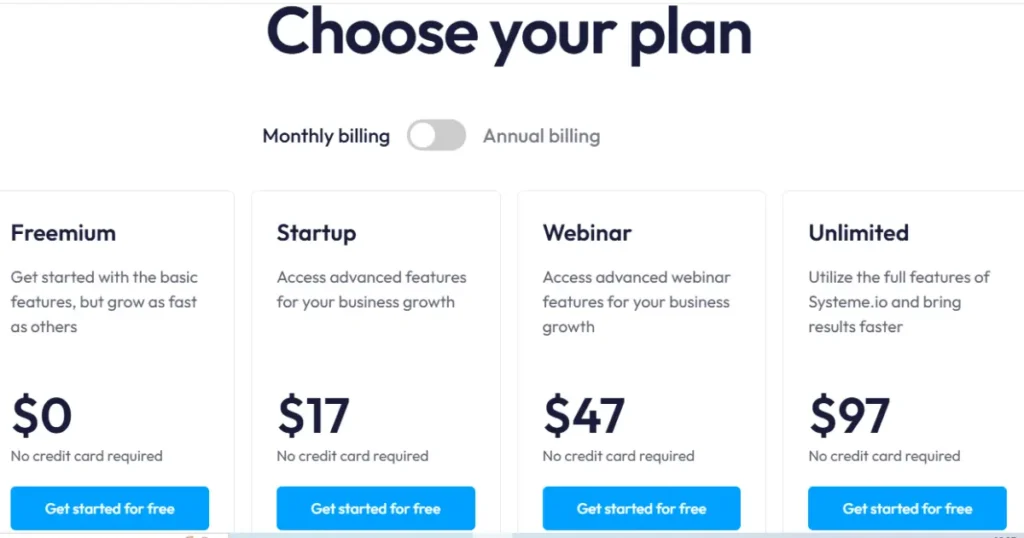
Systeme.io is most budget friendly platform starting with free plan and use 3 funnels, 2,000 contacts, email campaigns, blogging, 1 course, automation.
This plan is for Beginners who are testing the platform for the first time, funnel users, and Online creators.
Next Startup plan comes with $27 and use 10 funnels, 5,000 contacts, custom domain, automation rules.
Best for – Small businesses, solopreneurs, and coaches ready to scale.
Moving on Next Webinar plan start with $47 and get 50 funnels, 10,000 contacts, evergreen webinars.
Best for – Course creators, webinar marketers, and online educators. Lastly, the Unlimited plan starts with $97 and includes funnels, emails, courses, and automation
Best For – Growing businesses, agencies.
Systeme.io Pros & Cons
- All-in-one platform
- Great for beginners
- Easy to use
- Affordable
- Limited advanced integrations
2. Podia – Best for Beginners & Creators
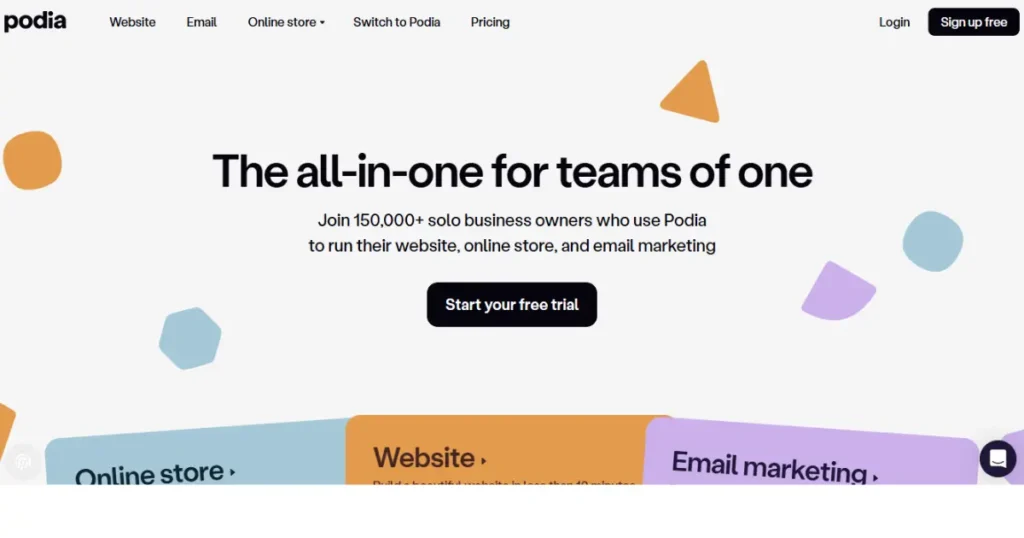
Podia is an all-in-one platform that helps you sell online courses, memberships, webinars, and digital downloads. Instead of trying multiple tools platform for website building, email marketing, product hosting, and payments, here you go.
When I tried Podia, I noticed it’s very easy to use drag-and-drop builder beginner-friendly it was. No coding. No complicated set up. If you’re a creator, coach, Trainer or small business owner who wants an all-in-one platform beginner-friendly affordable, simple go with podia,
All-in-One Solution include Website builder, Online courses, Memberships and communities, Digital product sales, Email marketing tools, Affiliate marketing system you don’t need to pay extra.
Podia works best for Digital product sellers like eBooks, templates, PDF, and design assets.
Coaches or consultants who Sell memberships and webinars. Small businesses owner and freelancers
Key Benefits of Podia
Podia is one of the best all-in-one online course platforms for creators in 2025. Including email marketing, website builder, courses, communities, and digital products.
- Online Course Builder – Podia makes it simple layout to create and sell online courses. And Upload videos, PDFs, audio, or quizzes with zero tech skills
- Digital Product Downloads – Podia ideal for Sell eBooks, templates, guides, photos, or music. Set your own prices, offer free downloads to grow your email list.
- Memberships & Communities – You can Build recurring income and connect with your audience through private memberships and engaging community.
- Coaching & Webinars –host webinars or sell coaching sessions directly without extra scheduling tools. Best online courses platfrom for coaches and consultants
- Built-in Email Marketing – Create automated campaigns, send newsletters and segment your audience. You can do all from the same Podia dashboard.
- Website Builder – It helps design a professional sales page or product page using Podia’s no-code website builder. Great for small business owners starting from scratch.
- Affiliate Marketing – Launch your own affiliate program so others can promote your products or services for a commission, It helping you grow without extra ad costs.
- No Transaction Fees plus 24/7 Support – Keep 100% of your sales, Podia’s live chat support team is available to help.
Podia Pricing Plan
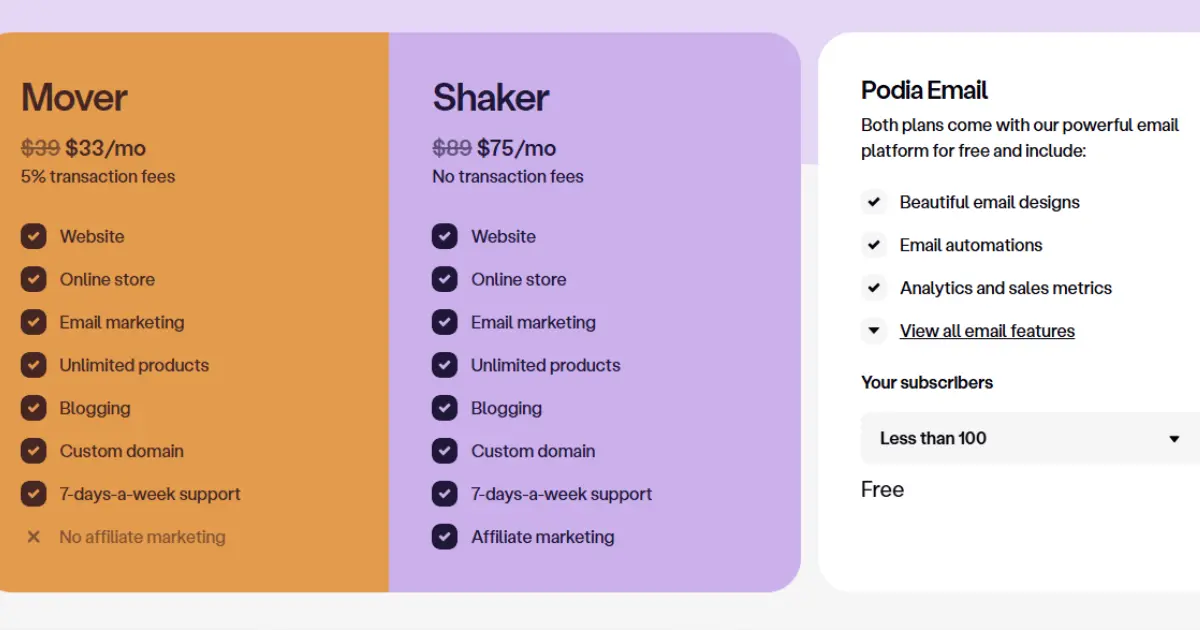
Podia Pricing Plans are highly affordable compared to others. Podia’s free plan starts with $0/ month. You can access the website, community, and 1 product with 8% fee.
Next Mover Plan start with $39/month including unlimited create courses, downloads, coaching products, no extra fees. This plan is best for creators, I personally started with this plan and this is enough to start for a creator.
And another plan, the Shaker Plan, starts with $89/month, including membership, affiliate marketing, and advanced features added.
Podia Pros and Cons
3. Kajabi – Best All-in-One Platform
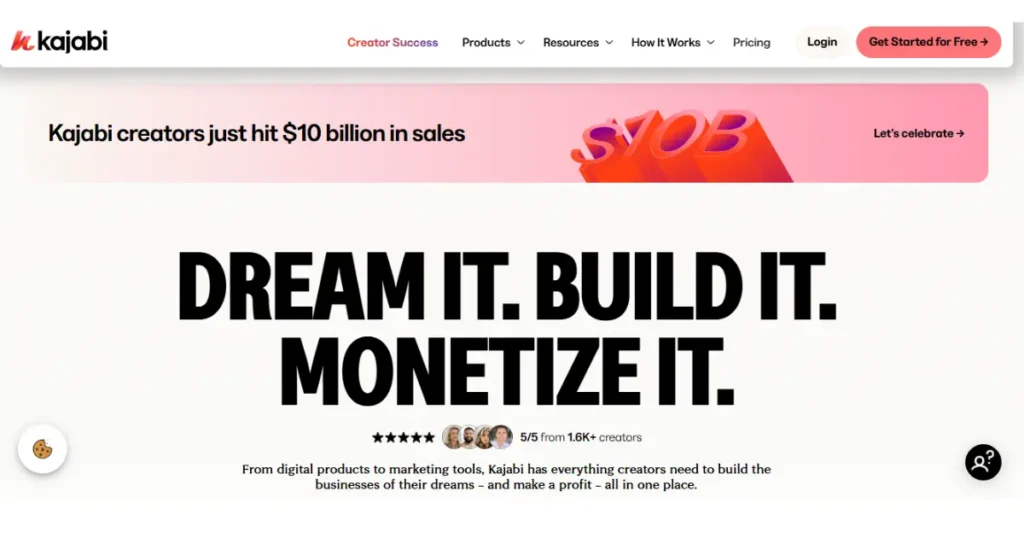
Kajabi is Best Overall Online Course Platform designed for entrepreneurs, coaches, and creators who want everything in one place including funnels, websites, courses, memberships, email marketing, and payments.
When I first came across Kajabi to build my courses, I find out that Kajabi is more than just course software; it’s a complete online business solution. Its simplifies from another courses software Instead of juggling separate tools for websites, sales funnels, email marketing, and payments system,
You I don’t need to pay for multiple subscriptions or connecting apps together. So you can focus on creating content and connecting with your audience
Kajabi easy set up email automations and the best part is feels professional without needing tech skills. The drag-and-drop builder gave clean professional websites in hours. Kajabi helps built-in analytics showed which emails were converting.
There is some expensive side compared to platforms like Podia or Teachable. If you’re just starting out with one small course, the monthly price can little bit high. And you’re serious about scaling and want a platform that handles everything, Kajabi is worth considering. It might cost more but it pays off by saving time and helping me actually grow.
Key Feature of Kajabi
- Course & Coaching Tools – Give you upload videos, PDFs, quizzes, and assignments and tracking student progress.
- Website & Landing Pages – Drag and drop templates without tech skills, no hosting plan required.
- Email Marketing & Automations – Kajabi lets you send newsletters, automate follow-up, and keep students engaged no need any third-party tools.
- Memberships & Communities – Memberships and communities that connect your audience.
- Sales Funnels – Funnel templates for webinars, product launches, or coaching offers, You just customize and launch.
- Payments & Integrations – Accept payments via Stripe and PayPal, coupons and offer subscriptions or coupons. Connect apps with Zapier
- Mobile App –Kajabi supports iOS and Android apps, push notifications for students learning and better engagement.
- Analytics & Reporting – Make clear reports with Track revenue, sales, email performance, student activity.
Kajabi pricing
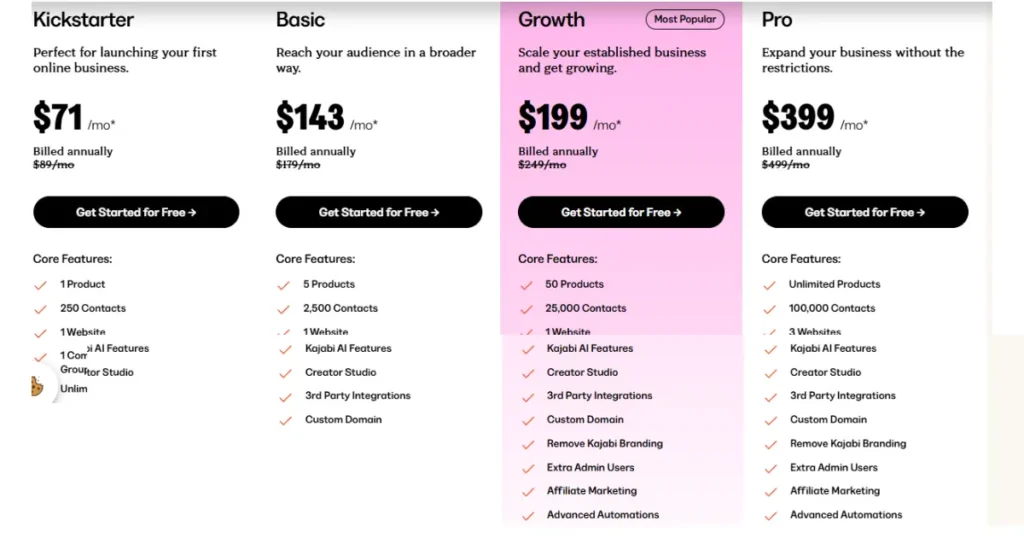
Kajabi is one of the best online course platforms, plans include AI features, Creator Studio, and unlimited emails, funnels, 24/7 support, and landing pages.
- Kickstarter – $71/month, Includes 1 product, 250 contacts, unlimited emails, funnels, and landing pages. (Perfect for launching your first course.)
- Basic – $143/month , Includes 5 products, 2,500 contacts, custom domain, and third-party integrations. (Perfect for creators.)
- Growth – $199/month, Includes 50 products, 25,000 contacts, advanced automations, affiliate marketing, and cohort courses. (Great plan for scaling.)
- Pro – $399/month, Unlimited products, 100,000 contacts, 3 websites, and advanced admin controls. (Best for established businesses.)
Kajabi Pros and Cons
4. Teachable – Best Platform For Course Creators
Teachable is one of the easiest tools for beginners to launch and sell courses without needing to code. And you don’t need to be techy to get started,courses you also don’t need hosting plans. Teachable delivers all in one place: hosting, payment, and courses. It’s simple drag-and-drop website builder; you can upload videos, audio lessons, PDFs, or text-based content in minutes.
Whether you’re beginners who want an easy build, no stress setup. Or coaches & creators selling high end ticket courses. And anyone who wants simple easy over complexity.
Key Features of Teachable
- Easy drag and drop Course Builder allow Upload videos, PDFs, audio, and text lessons.
- Artificial intelligence help you to build course, content and lessons.
- Student Management allow Track progress, and manage enrollments easily,
- Keep students engaged with Quizzes and reward them Certificates when they finish.
- Built-In Payments system, Accept payments worldwide through Stripe and PayPal without needing extra tools.
- Integrations with popular payment options Klarna, Affirm, Afterpay to help student to pay their fees
- Teachable App for Students can learn easily.
- Robust education support available.
- Connect with automation tools like Zapier, ConvertKit, and Mailchimp.
- Affiliate Program Management allows others promote your courses and pay them commissions automatically
Teachable pricing
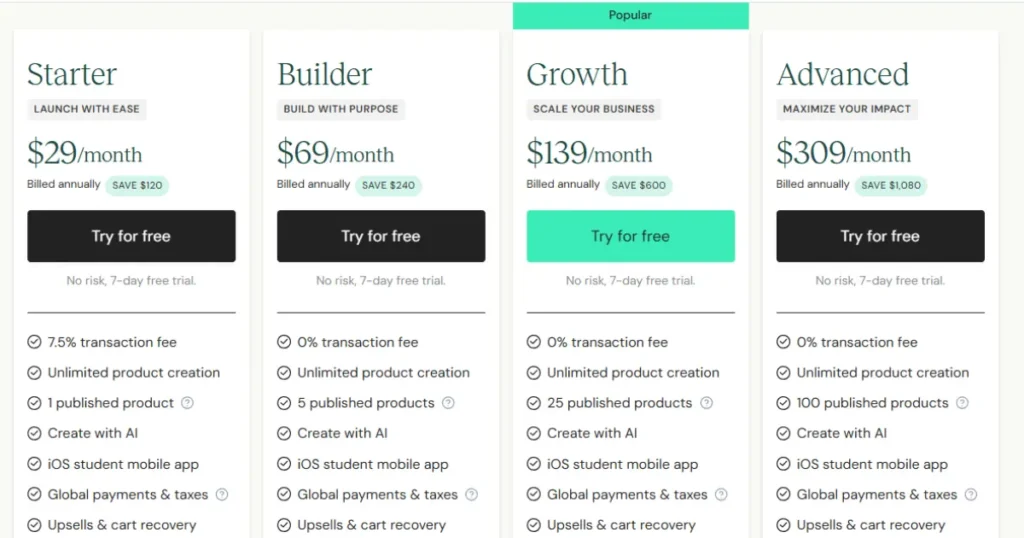
- Teachable Free Plan – This plan is great for beginners to test things out, The plan is limited features, small transaction fees.
- Basic Plan, $39/month – This plan Includes unlimited courses, email marketing tools, and custom domain support.
- Pro Plan, $119/month – This plan advanced features like graded quizzes, course completion certificates, and priority support.
- Business Plan, $499/month – Best plan for creators or businesses, managing instructors.
Teachable plans depend on your online journey as a course creator. You can start on the Basic plan and later upgrade to Pro
Pros and Cons of Teachable
5. Thinkific – Best for Educators & Trainers
Thinkific is one of the most reliable and flexible online course creation platform out there. This allows for various ways to create a professional-looking platform course without needing coding skills. This offers easy drag and drop builder with their new AI features, which help design outlines, quizzes, and lessons without wasting time.
Thinkific best works for if you’re an educator, trainer, or creator who wants powerful online tools for student engagement. Including features like quizzes, assignments, and certification courses. My personal experience and my research, I’ve found it stable, secure, it’sthe thousands of instructors use it, it’s ideal for running structured programs. If you’re serious about online courses and want an all-in-one platform that offers ease of use with professional features, Thinkific is a best choice you can trust.
Key Features of Thinkific
- Thinkific Engagement Tools keep students engaged with quizzes, assignments, and multimedia, videos, PDFs, and presentations.
- Tracks automatically student progress,improving course quality over time.
- Assignments and Feedback assess learning.
- Supports content formats from text and video
- Thinkific mobile app for students con access lessons anywhere, anytime
- It’s perfect for professional educators and trainers
- Includes affiliate programs helping increase sales without using extra tools.
- Support customization
- Thinkific connect email marketing, analytics, and automation.
Thinkific Pricing
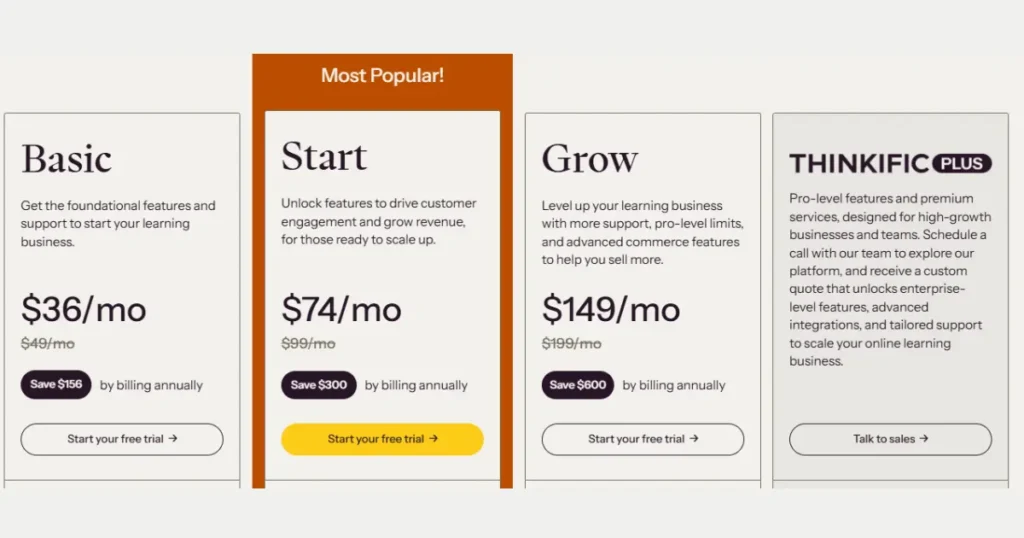
- Basic Plan – $36/mo or $49 monthly (Best plan for Beginners)
- Start Plan – $74/mo or $99 monthly (Best for Creators)
- Grow Plan – $149/mo or $199 monthly (Best for Professionals, Creators & Small Businesses)
- Thinkific Plus – Best for Enterprises
Thinkific’s pricing is scalable. You can start free, build your first course, and only pay when you’re ready to grow.
Thinkific All plan and features
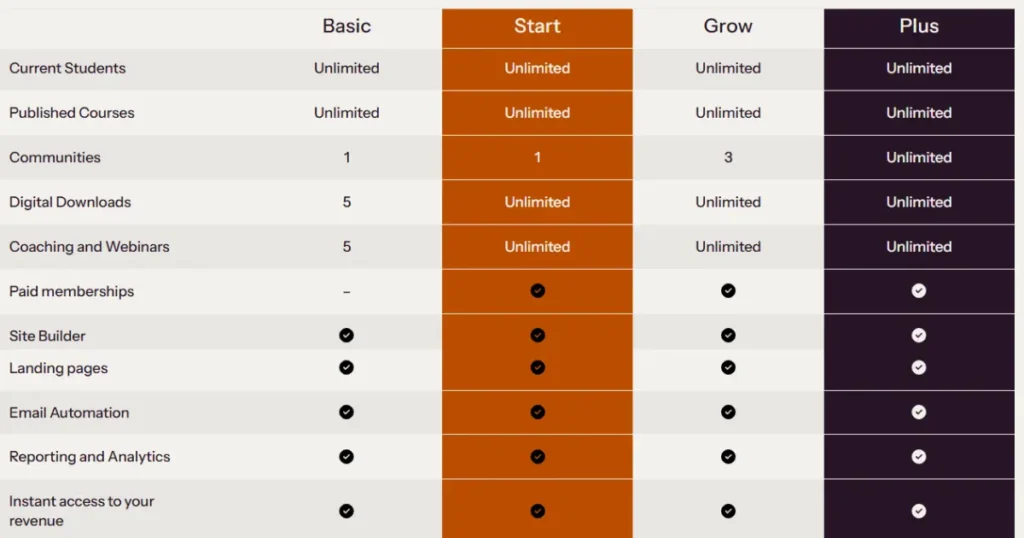
The basic plan gives you unlimited courses, a community. It’s perfect for new creators or coaches testing their first online course idea.
Start plan advanced engagement tools like unlimited live lessons, memberships increase revenue.
if you’re building a growing student base, go for it.
Grow plan comes with advanced analytics, API access, and invoicing. It’s for established educators or small team businesses who need branding
Thinkific Plus is the enterprise solution that includes everything, unlimited features, CRM integrations (HubSpot, Salesforce) It’s for high-growth companies and learning orgs.
Thinkific Pros and Cons
Best Budget-Friendly Platform for most Creators and Businesses.
6. Coursera – Best for Professional Certificates
Coursera is the one of the most reliable and career growth online learning platforms. Its is not just another e-learning site, its partners with top universities and professional certificates from top universities and global companies like Google, IBM, and Stanford. It offers deep programs, and has a subscription option that makes you a lot of learning, which comes with Plus subscription and gives you access10,000+ courses, specializations, and professional certificates across AI, Data Science, Business, Marketing, IT and many more. Coursera flexible learning helps build job-ready skills. If you’re serious about upgrading your career or switch industries, it’s perfect for anyone serious about career growth.
Coursera works best for Professionals who wants to reskill or upskill in high-demand areas such as AI, data analytics, digital marketing, or people who want recognized certificates, degrees from universities or any big companies.
There are best Coursera online courses you can do such as Google Data Analytics Professional Certificate, Machine Learning (Stanford University), Deep Learning Specialization (deeplearning.ai), AI for Everyone (deeplearning.ai), Python for Everybody (University of Michigan), Google Cloud Data Engineer / ML Engineer Courses, Data Science Specialization (Johns Hopkins University), Financial Markets (Yale University) and Google Project Management Certificate.
Coursera Pros and Cons
7. LearnWorlds – Best for Interactive Learning
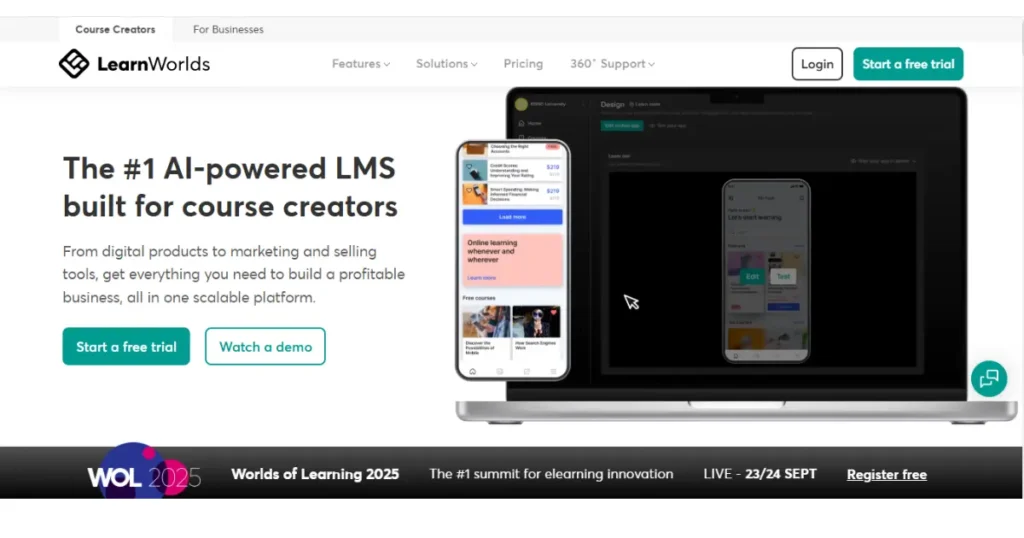
LearnWorlds is an all-in-one most flexible, and powerful online course creation and eLearning platform. Its high engaging professional online course and LMS software that helps creators, coaches, businesses, and educators to build, market, and sell online courses.
I’ve explored many LMS tools, but LearnWorlds has beautifully designed AI-powered tools for both beginners and Businesses. Built-in AI assistants, High and advanced analytics for experiences.
LearnWorlds offer easily create courses. Best online course and LMS software for beginners and advanced trainers.
Key Features of LearnWorlds
- AI powered online course and LMS software for beginners and advanced trainers.
- Create course engaging lessons, quizzes, and summaries, and built-in AI Assistant.
- Add pop-up questions, links, and notes inside videos to keep learners engaged.
- Allows you build your own branded Website and mobile app, (no coding needed)
- Get Flexible Course Options like public, private, free courses to match your audience’s learning.
- LearnWorlds marketing funnels, pop-ups, landing pages, coupons, bundles to boost sales.
- It allows your revenue with affiliate programs, membership plans, and bundled course offerings.
- Create and upload SCORM/HTML5 content for corporate training or advanced eLearning integrations.
- Track learner performance, sales, engagement, and automate reports with advanced Analytics and make decisions.
LearnWorlds Pricing Plans
LearnWorlds Starter Plan comes with $29/month, Create and sell unlimited paid courses eBooks, quizzes, using 3-page website ready templates with basic tools. You can get 1 admin access, SSL security, and 24/5 email support. And use coupons for discounts. Accept payments via 3 gateways.
Best for Beginners or solo creators starting their online course journey.
Pro Trainer Plan comes with $99/month, Host live classes & webinars, Build unlimited web pages with popups and funnels, Create +certificates, SCORM files, Add subscriptions, memberships, and payment installments, allow 5 admin/ instructor and 24/7 email support.
This plan is best for professional trainers and small academies.
LearningCenter Plan start $299/month, includes 25 admins/collaborators, All Pro features, AI-powered videos, advanced analytics, automation, progress reports, auto-transcripts, subtitles, and translations.
Ideal for Medium-to-large training businesses or institutions.
LearnWorlds Pros and Cons
8. Tutor LMS – Best For Educators
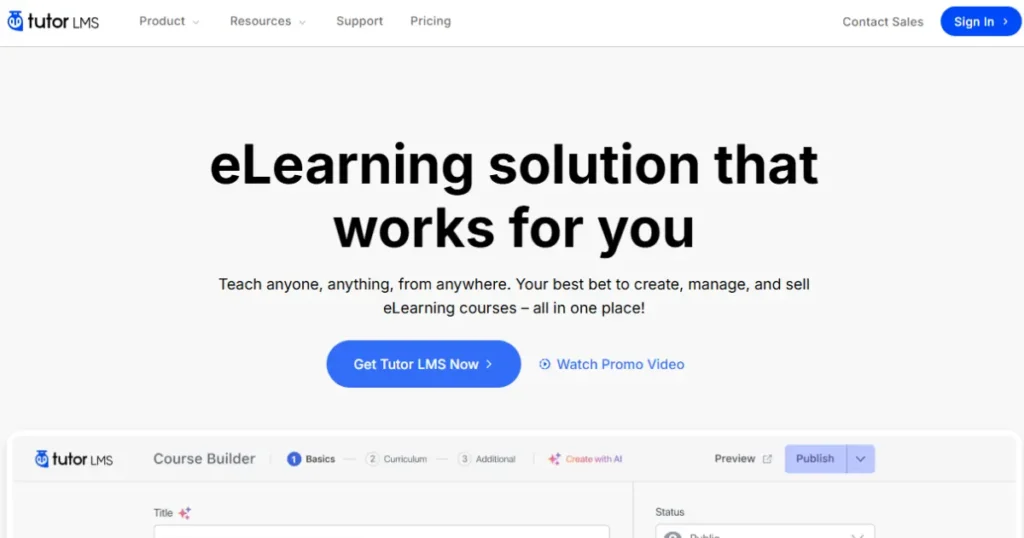
If you’re serious about teaching and want to turn your knowledge into passive income, Tutor LMS is one of the best an all-in-one learning management systems out there. I’ve personally found it to be a perfect eLearning platform whether you’re teaching solo, managing a team of instructors, or build online academy.
Tutor LMS allows create unlimited courses using an easy drag-and-drop course builder. It’s powerful integrations live sessions using Zoom, Google Meet, or Google Classroom. Tutor LMS built-in monetization tools, it’s easy to create, sell, and manage online courses all without coding. Run your own course marketplace Tutor LMS with flexible revenue-sharing options.
Tutor LMS ease of use, affordability, and flexibility. It’s perfect for educators, trainers, or agencies. If you’re ready to teach online, Tutor LMS is absolutely worth trying.
Key Features of Tutor LMS
- Create unlimited courses without coding, just a drag-and-drop builder. Using built-in AI tools.
- Boost engagement, flexible revenue sharing options, points, and certificates.
- Integrations Live Class using Zoom, Google Meet, or Google Classroom.
- Built in tools, sell memberships, subscriptions, PayPal, Stripe, or Woo Commerce.
- Track and analytics student progress, course sales and revenue in the dashboard
- Customize your Tutor LMS pages without coding
Tutor LMS Pricing Plan
Tutor LMS offers flexibility for educators, professionals, and agencies. Each plan is designed with powerful features like AI tools, unlimited courses to create and sell online courses.
1. Starting with Individual Plan – $139.30/year (Regular plan $199). Access 1 website, all pro add-ons & features, Pro themes & AI Studio for unlimited courses Best for solo educators or small businesses to start
2. Business Plan – $279.30/year (Regular plans $399)
Ideal for freelancers and professionals run multiple online academies and eLearning projects.
Use on up to 10 sites AI Studio for more flexibility.
3. Agency Plan – $559.30/year (Regular $799) Use on unlimited sites, includes all features, and themes, large teams or agencies offering LMS services.
Tutor LMS Pros and Cons
9. Udemy – Best for Students & Coders
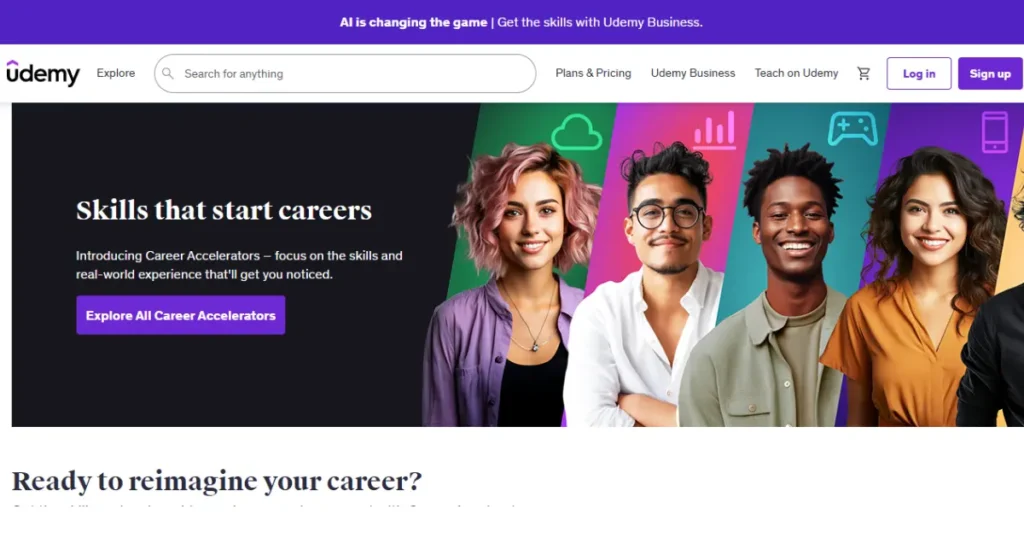
Udemy is one of the world’s largest online learning platforms, You can learn anything, anytime, anywhere. Udemy offers multiple categories to help learners access over 250,000 affordable courses and 77+ million learners and 80,000+ expert instructors across tech, design, business, and personal development to gain new skills and advance your careers..
Multiple categories to learn, If you are tech professionals can learn web and app development, IT & Security Python, AI, and machine learning, hacking, cybersecurity, and cloud computing to grow your strong career. In Business category go for project management, leadership, finance, and marketing to boost your entrepreneurial knowledge or corporate skills. Design & Photography courses teach graphic design, interior design, UI/UX, and photography for creative people. Also Personal Growth courses focus on motivation, communication, time management, productivity to enhance soft skills.
Key Features of Udemy
- Course access allows over 250,000 video courses in 75+ languages globally.
- One-Time Payment option The allows Pay once per course and getting lifetime access.
- Udemy Android and iOS app learn anytime, anywhere, boost, and even download courses for offline study.
- AI powered learning to personalize course recommendations.
- Get certificate after completing each course that boost your career globally.
- Q&A support option available, ask questions directly to the course instructors.
- Admin and analytics dashboard to monitor your progress, performance in detail.
- Get help 24/7 with Customer support.
Udemy Pros and Cons
10. Kartra – Best for Funnels & Automation
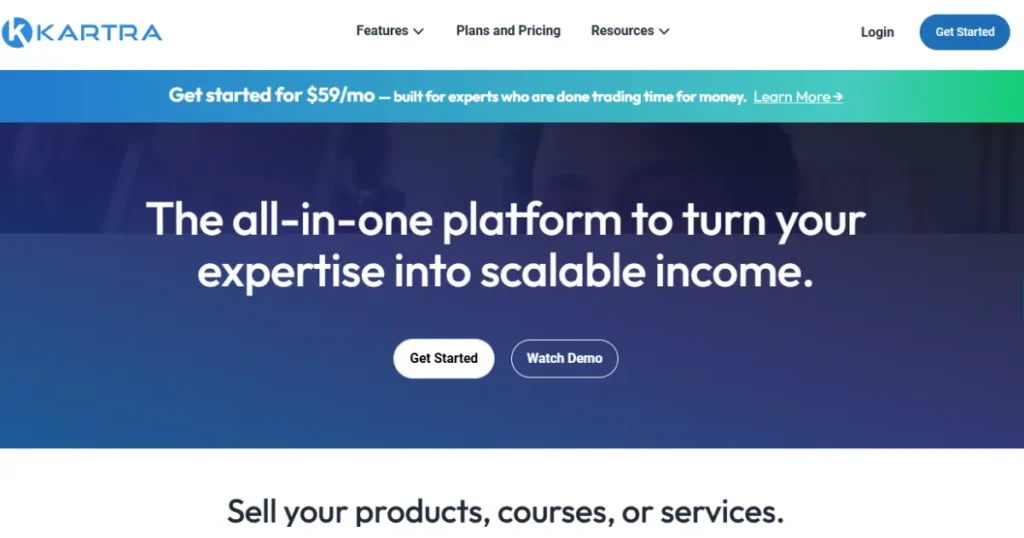
If you’re looking for a complete business automation solution, funnel, Kartra is all in one platform design to help entrepreneurs and creators. Kartra brings everything on one dashboard, landing pages, course, email automation, checkout systems, and hosting. Which can save you a lot time and money.
Kartra is easy to use you can build websites landing pages and automated sales funnels to membership sites ,eCommerce stores and affiliate management without and tech skills. This is all-in-one solution for digital creators, entrepreneurs, coaches. Kartra helps 60,000+ entrepreneurs generate more than $1.5 billion online.
Compared to other popular platforms, Kartra offers a 14-day free trial, as per my experience, it started $1 for 30 days, and AI-powered copywriting tools that help you write pages, emails, and sales copy that sell like a pro.
Key Features of Kartra
- Drag-and-drop page builder for beautiful landing page and 100+ templates designed course pages.
- high-converting funnels builder pre-designed templates.
- Built in email marketing automation tagging and segmentation.
- Membership portal for hosting, monetize exclusive content and delivering online courses.
- Video hosting and track performance, detailed analytics.
- AI Writer Write pages, emails & sales funnel toconvert fast..
- Affiliate program management tools to boost revenue.
- Shopping cart and secure payment processing system.
- Integrated with Stripe, PayPal, Zapier, Twilio.
- Tracking system for customer support.
Kartra Pricing Plans
Essentials Plan – $59/month, Great for beginners. Includes 500 contacts, 10,000 emails per month, 1 custom domain, 5 Page and one product.
Starter Plan – $119/month, Perfect for small businesses. Includes unlimited pages, email and SMS marketing, product, courses, 2,500 contacts, one custom domain, video hosting, , calendars & Kartra AI , calendar integration.
Growth Plan – $229/month, Suited for growing businesses, Includes 12,500 contacts, 3 domains advanced automations, affiliate management, webinars (up to 300 attendees)
Professional Plan – $549/month, for established brands businesses, Includes 25,000 contacts, five domains, real-time funnel analytics, helpdesk live chat, up to 20 team members.
Kartra Pros and Cons
What Is the Best Online Course Platform for Beginners?
Best online course platform for beginners depends on your goals, skills, and budget. It’s quite difficult to choose, some platforms also provide free trial to understand what to choose. Systeme.io is the top beginner-friendly choice for beginners. Because it’s simple, drag and drop builder, affordable perfect for new creators.
Podia and Teachable are great, Kajabi, Thinkific and LearnWorlds good option. Other platforms like Udemy and Coursera work for corporate learners. Overall, beginners should choose go for Systeme.io, all-in-one Kajabi, or Teachable/Thinkific to start growing.
Which platform is most affordable?
If you’re beginner start with Systeme.io, it offers a free trial very low-cost starter plans. Udemy is absolute cheap learning-as-a-student, there are frequently discounted. Thinkific provides a usable free plan to host your own courses for free while testing. Podia also affordable.